Establish the terms.
Keep quoted numbers separate from estimates. Annual and monthly rates, expense stops and free-rent conditions each get their own treatment.
01 / Financial Model Builder
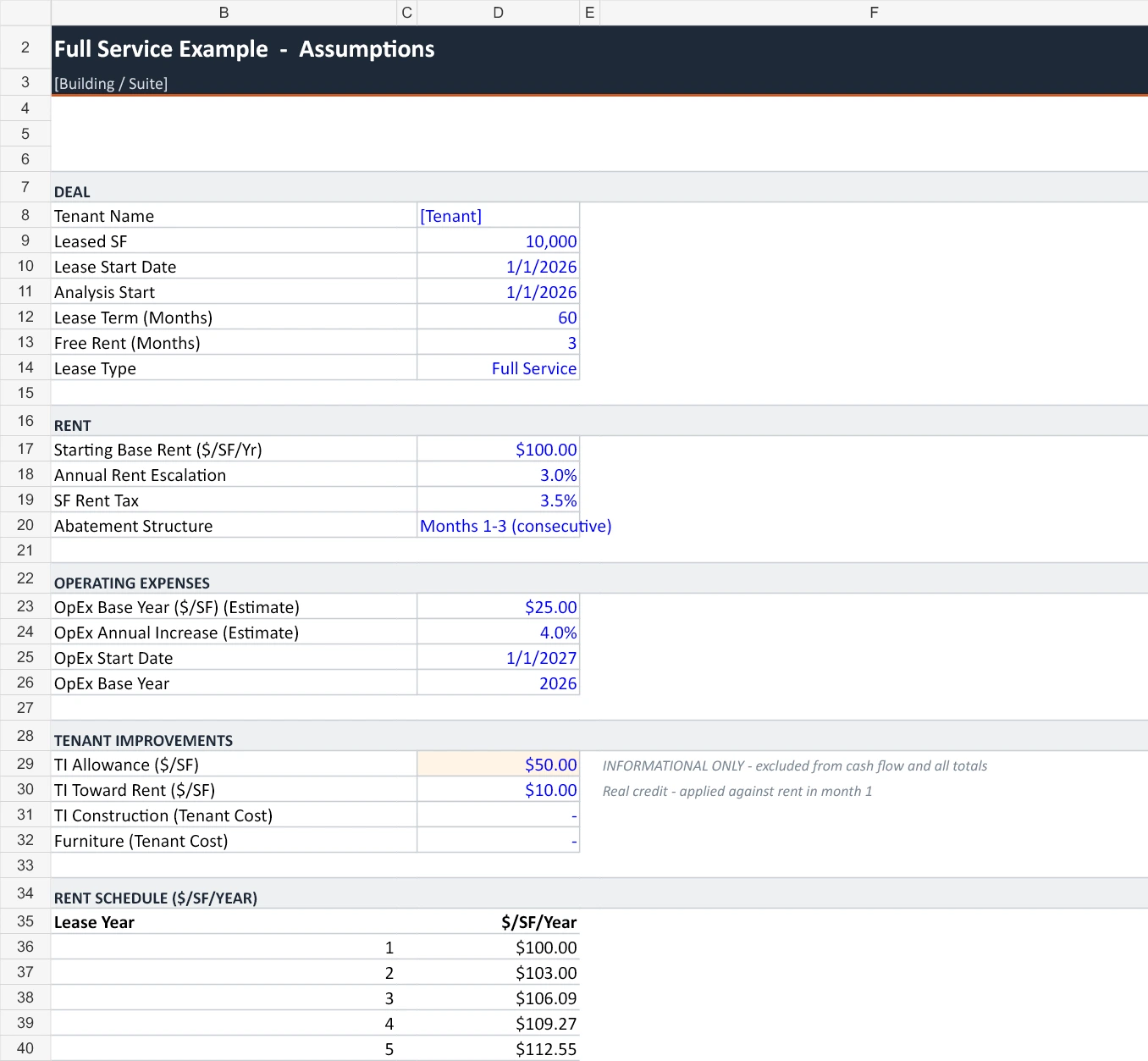
Turn LOIs, emails and deal notes into an editable Excel model. The updated skill organizes offers and counters, separates TI allowances from rent credits, and keeps estimated expenses visible.
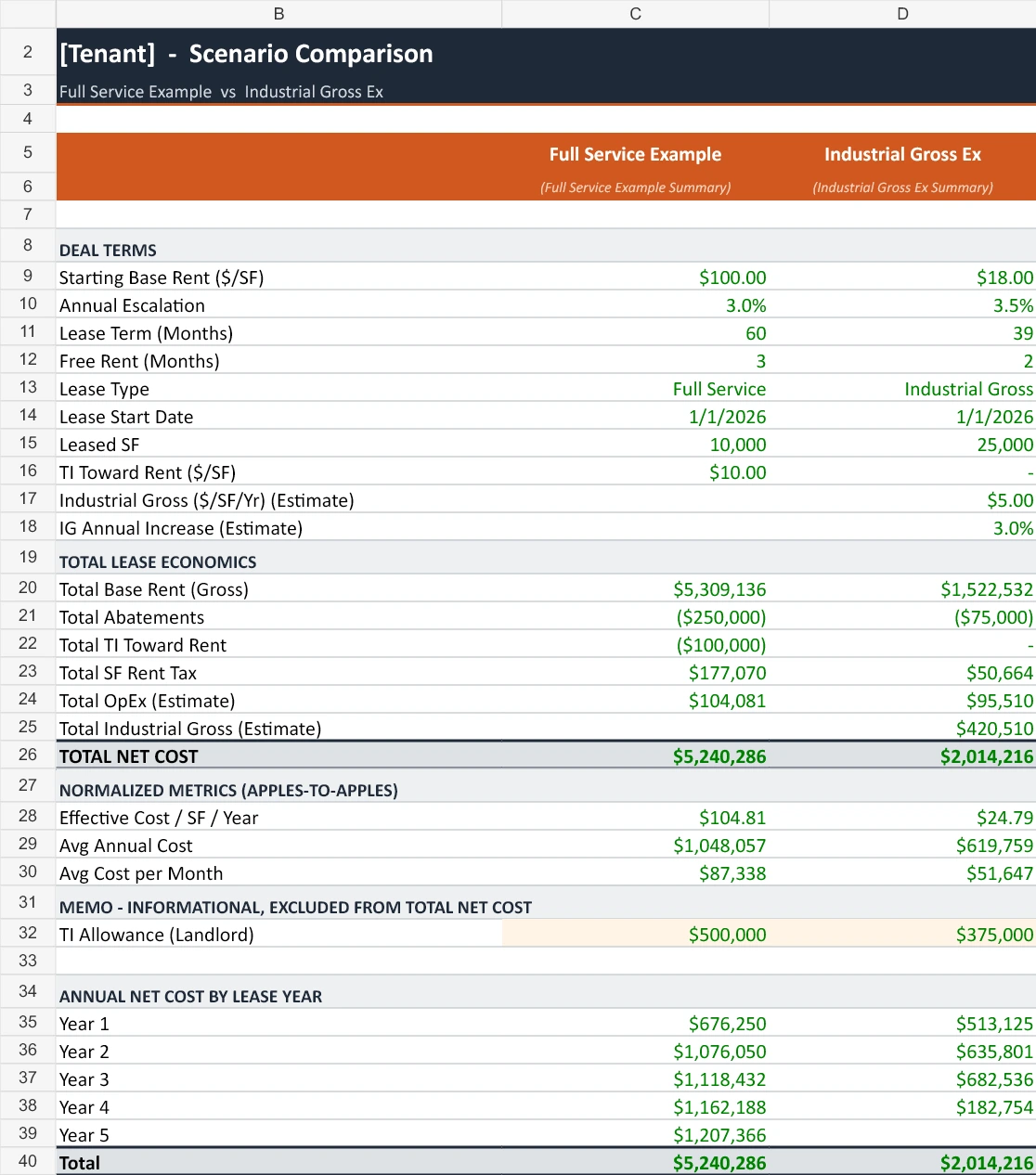
Comparison, summary, editable inputs
and monthly cash flow in one workbook.
Actual workbook included with the updated skill. Placeholder client names and illustrative USD economics. The two examples use different areas and terms; their totals are not a savings comparison.
Download the Excel example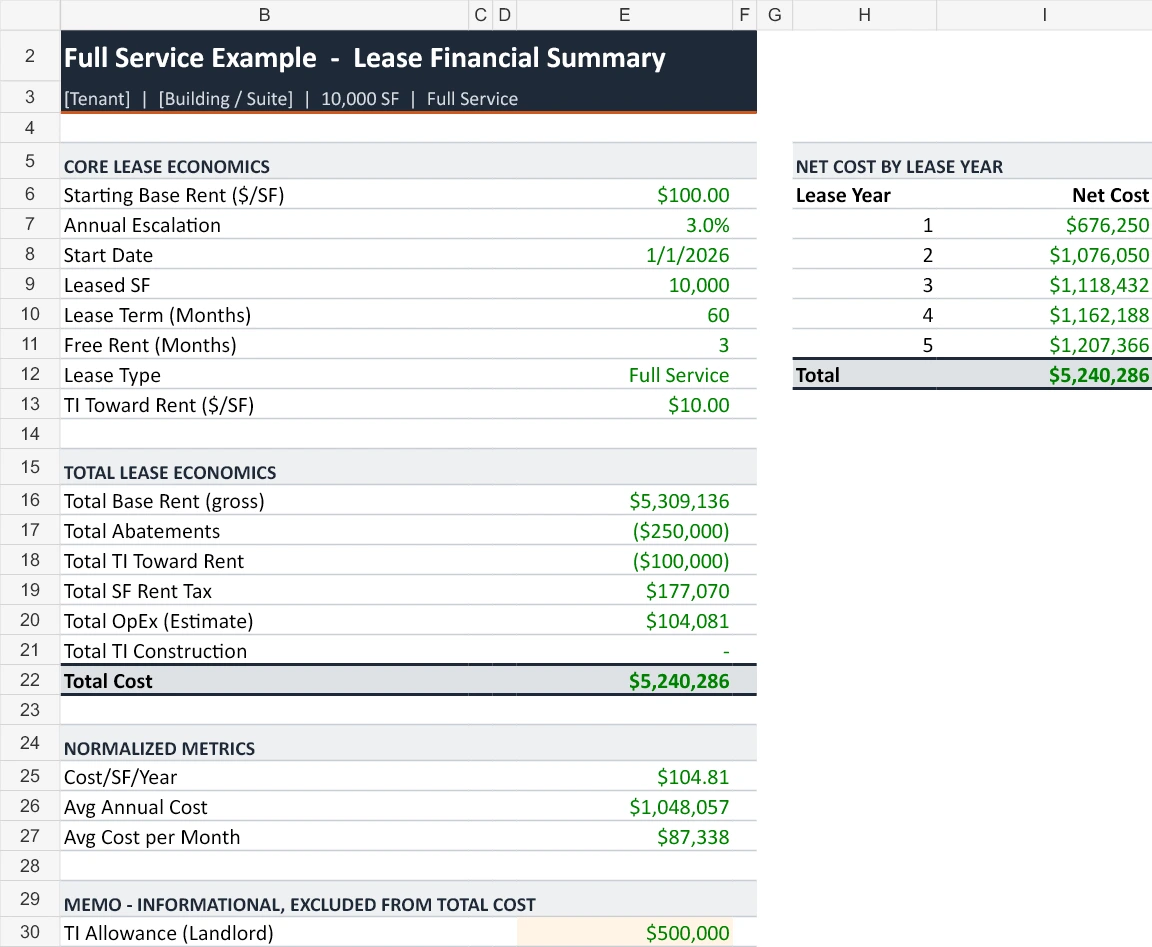
What you bring
What you receive
How the skill works
Keep quoted numbers separate from estimates. Annual and monthly rates, expense stops and free-rent conditions each get their own treatment.
Lay out cash flows across the agreed horizon. Keep refundable deposits separate and distinguish a construction allowance from a rent credit.
Inspect the scenario totals and monthly formulas. Update supported rate inputs; regenerate the schedule when the dates, term or structure change.
Both sides of the transaction
Compare renewal and relocation proposals on an explicit cost scope. Show your client why the lowest starting rent may lead to a different total cost.
Present the tenant-facing economics of alternative offers and counteroffers. Use a separately specified analysis for owner returns or property valuation.
Yes. The delivered workbook has editable inputs, monthly formulas and linked summaries. Structural changes such as a different term or commencement date require regeneration and reconciliation.
Provide your workbook and identify the controlling proposal. The workflow works on a copy, preserves the structure and flags anything that needs a separate calculation.
The released example is an occupancy-cost comparison. Owner returns, present value and sublease recovery require their own scope, assumptions and verification; they are not demonstrated by this workbook.
One membership. The complete library.
All five skills, versioned improvements and personal help getting set up. Bring a past deal you know well and make the workflow your own.
Currently supported in Claude. A separate compatible AI plan is required. The separate CoStar workflow is a member preview for ChatGPT Work; browser access, file tools and customer setup are required.