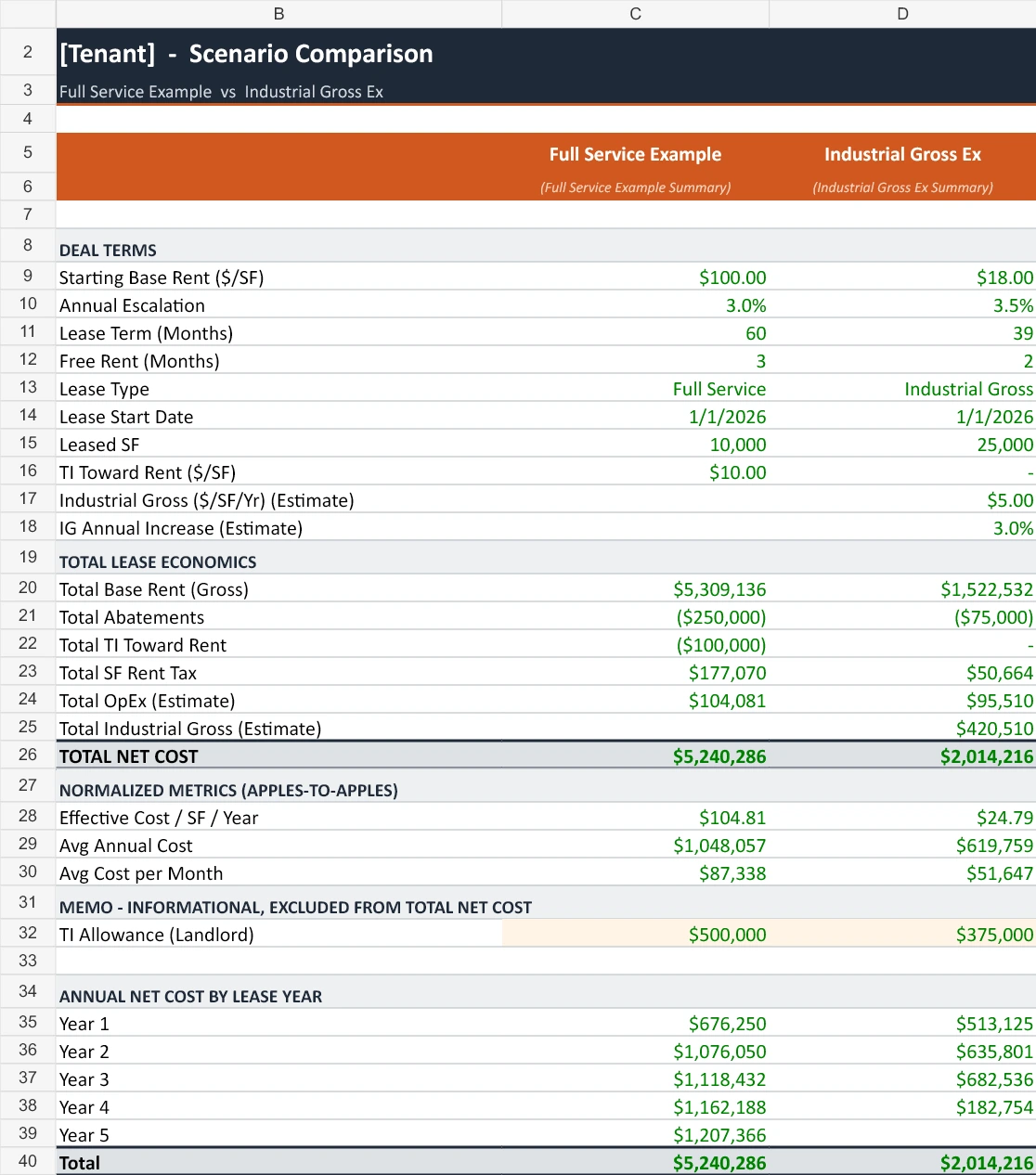
Turn LOIs, emails and deal notes into an editable Excel model. The updated skill organizes offers and counters, separates TI allowances from rent credits, and keeps estimated expenses visible.
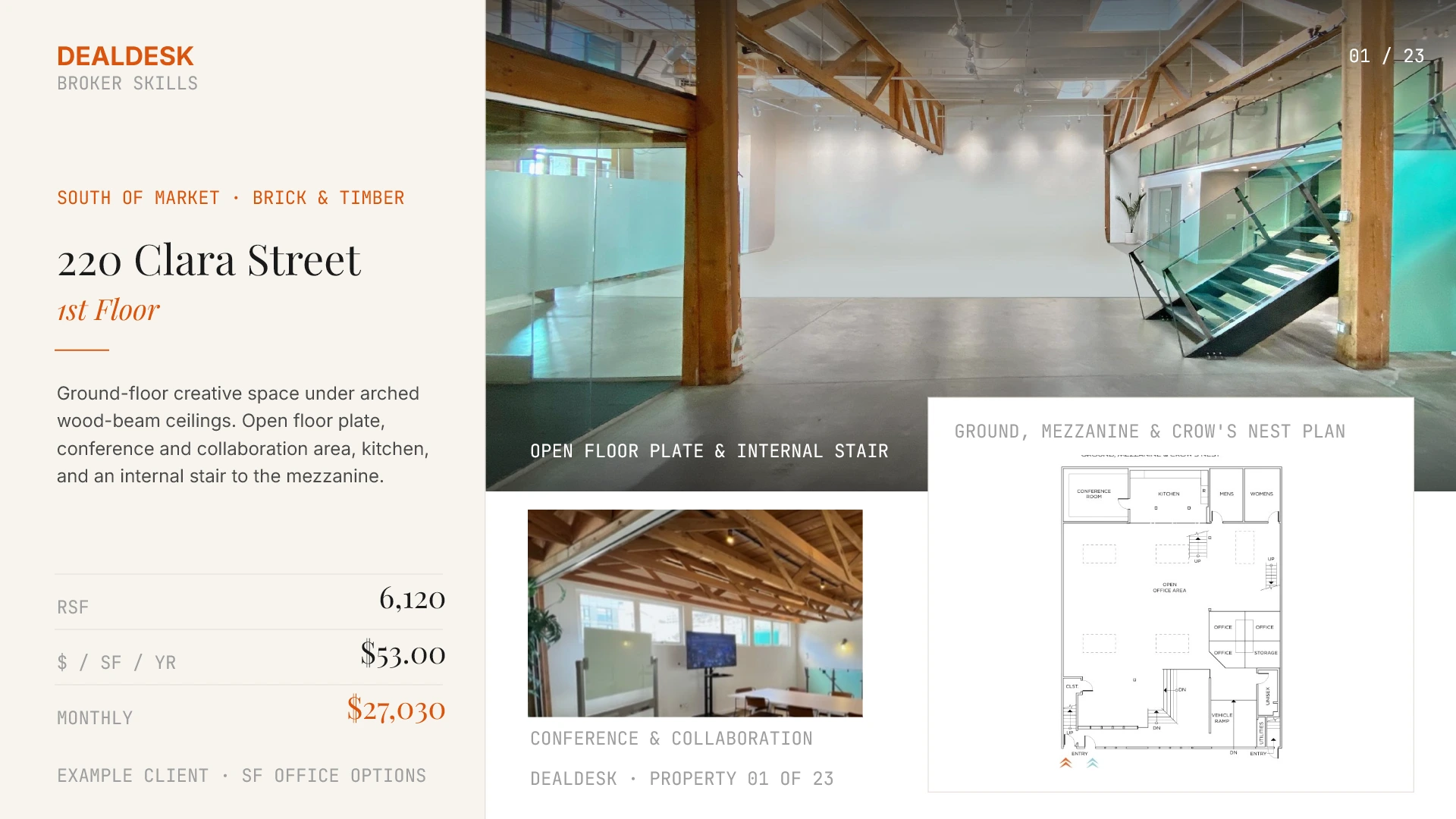
Turn selected listings, marketing flyers and suite details into an editable presentation. Comparison first. Then the photos, facts and floor plans that make each space distinct.
Learn from emails you actually wrote, then draft the next update using today’s deal facts. Keep your cadence, your level of detail and your way of asking for the next step.
Turn sourced business terms into an editable LOI or counteroffer. Keep the current proposal, the financial model and the open items in step as negotiations move.
Build a commission calculation from the agreement and prepare an invoice draft for the supported installment. Keep the full fee, prior billing and future milestones distinct.
Model and report previews show our actual document formats. Deal figures and written examples are illustrative; historical property details are not current availability. Each skill page explains its example and review steps.
CoStar Space Report · Member preview
ChatGPT Work workflow
Your criteria. The search. The report.
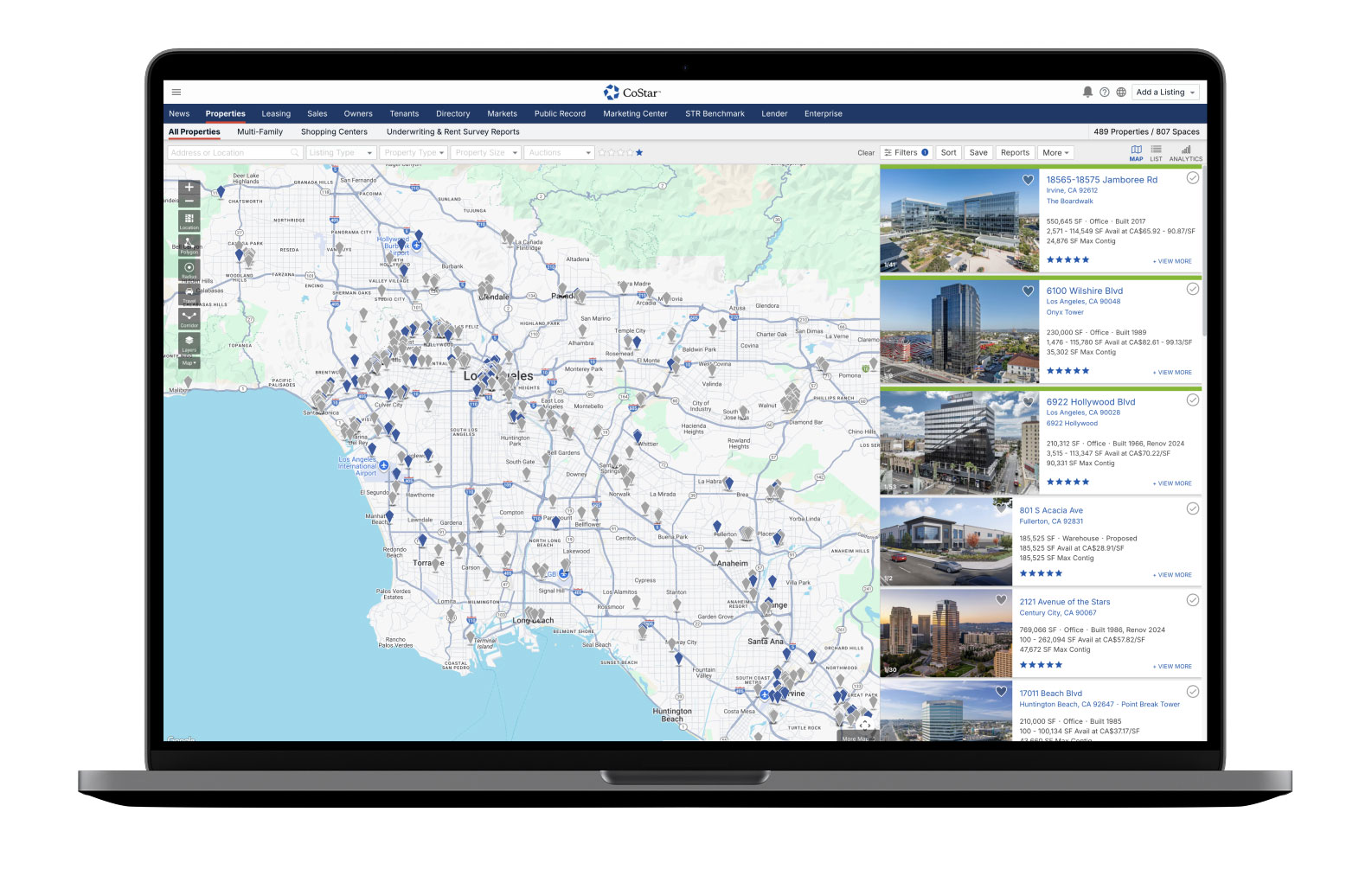
CoStar Office Search & Report Builder
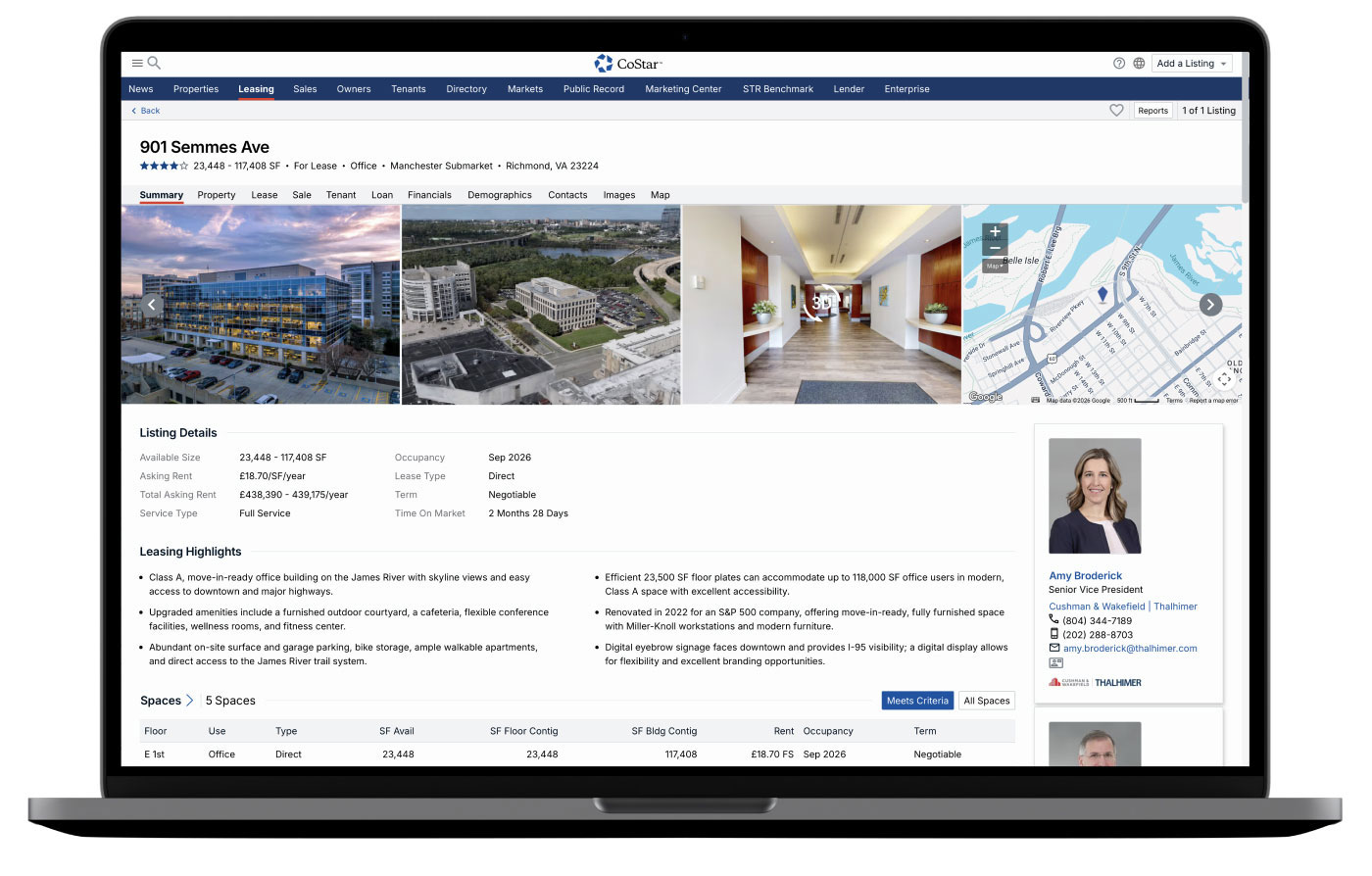
Give the skill your client’s office requirements. The workflow guides ChatGPT Work through your authorized CoStar session to gather matching spaces, suite-specific photos, floor plans and listing notes, then build an editable report for your review.
Built for tenant and landlord reps. Andrew’s saved research workflow is now available as a member preview, with the full instructions and a ready-to-adapt starter prompt.
Start inside CoStar Search & shortlist
Your client’s requirements set the search. The workflow checks the available spaces and keeps a record of what fits, what does not and what needs a closer look.
Go into the details Property research
Check the exact suite, photos, plans and listing notes. Missing details stay visible for your review.Then, the client presentation.A report you can make your own.Example report format; final content follows your search.
CoStar screens are public product illustrations from CoStar Listings and Property Records, not a completed DealDesk search. DealDesk is independent of CoStar and is not endorsed by it.
01 / Define the search
Start with the requirement.
Location, size, budget, timing, layout and furniture. Separate must-haves from preferences before the search begins.
02 / Verify the details
The right suite. The right evidence.
Check photos and plans against the exact space. Keep quoted rent separate from estimates and flag missing or conflicting details.
03 / Build the report
Bring the shortlist together.
An editable presentation with a comparison and property pages, plus a sortable inventory of every reviewed result and open questions.
One membership. The complete library.
Start with the work on your desk.
All five skills, versioned improvements and personal help getting set up. Bring a past deal you know well and make the workflow your own.
Currently supported in Claude. A separate compatible AI plan is required. The separate CoStar workflow is a member preview for ChatGPT Work; browser access, file tools and customer setup are required.